The Master, live
Audio arrives in stereo, as 48 kHz Opus, from 128 to 510 kbit/s. It keeps playing with the screen locked, on AirPods or over AirPlay.
Mobile app · iPhone in beta
With the Fern app, you listen to and adjust your FL Studio mix remotely, from your phone. It receives the Master live, starts and stops playback, and passes your requests to Fern, which edits the project on your Mac. On headphones, in the car or on the speakers in another room, you make changes without going back to the studio.
On iPhone, in beta on TestFlight. Android: not available yet.
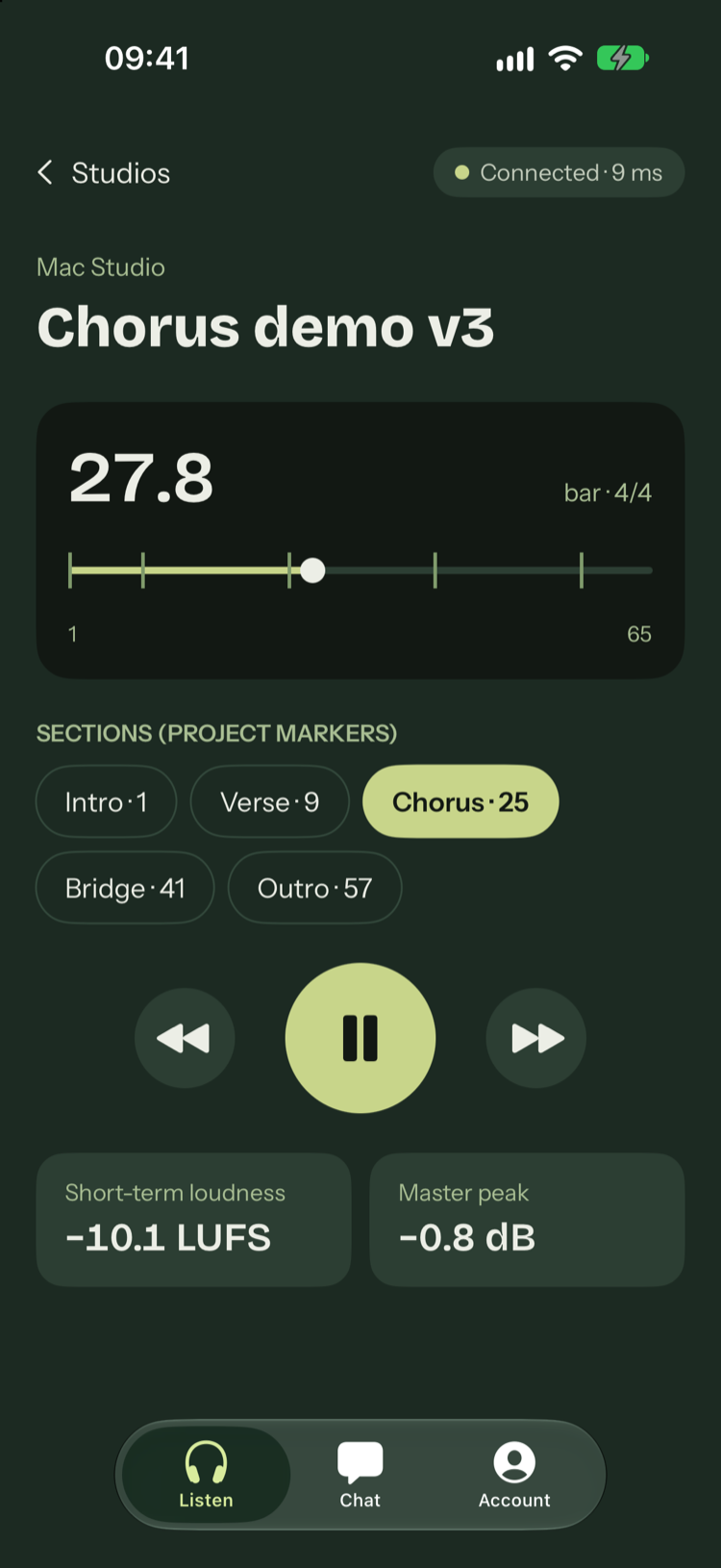
Audio arrives in stereo, as 48 kHz Opus, from 128 to 510 kbit/s. It keeps playing with the screen locked, on AirPods or over AirPlay.
Play, stop, 4 bars forward or back, and jump straight to a section of the song, taken from the project markers. Headphone and lock screen controls drive FL too.
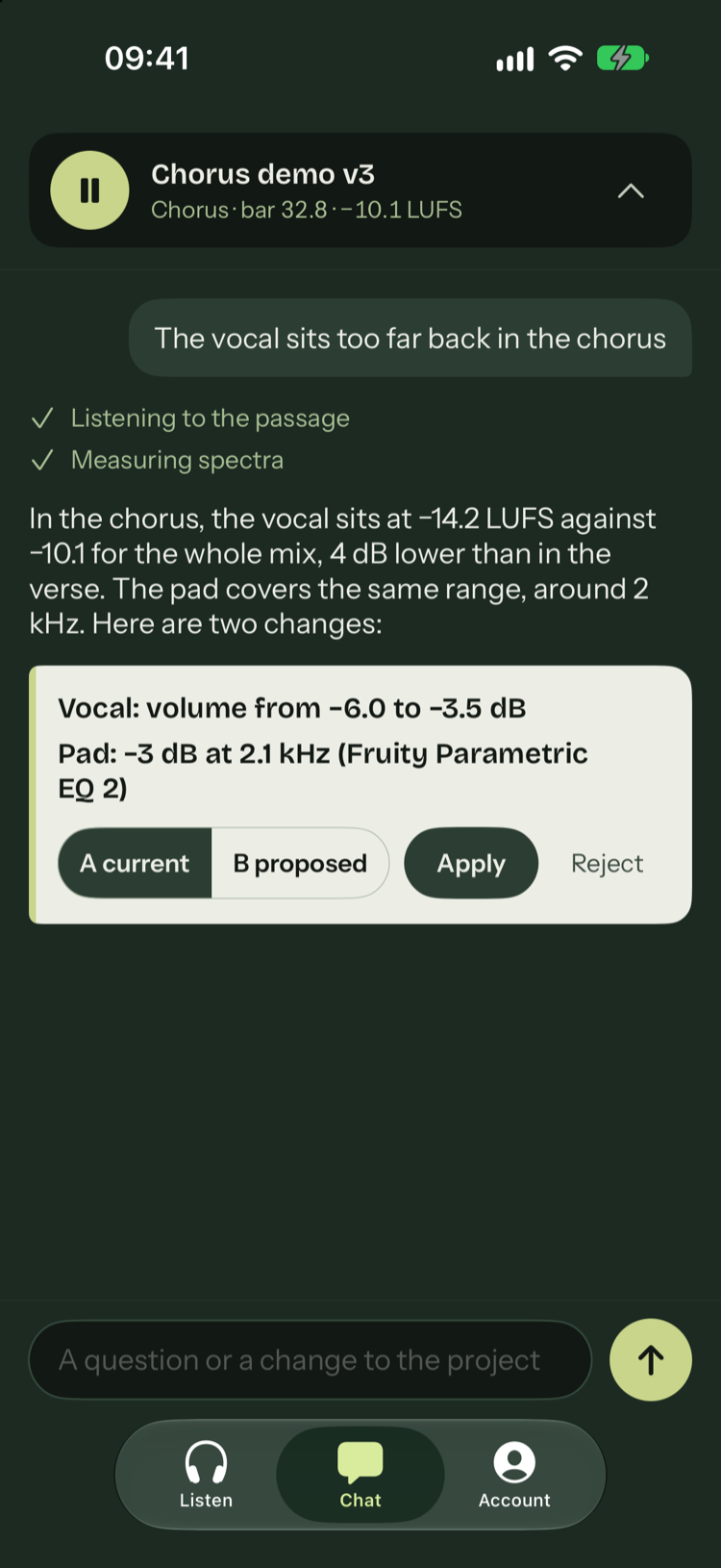
You write what you hear. Fern measures the passage and proposes settings, which you compare by ear (A current, B proposed) before applying or rejecting them. It is the same chat as in the plugin.
Your phone and your Mac connect directly, on the same Wi-Fi or over the Internet, end-to-end encrypted. Audio does not go through Fern’s servers.
FL Studio Remote is Image-Line’s free remote: it controls FL Studio over Wi-Fi but does not produce sound. Audio streaming apps play the mix on your phone without controlling FL. The Fern app plays the Master, controls playback and edits the mix with Fern.
| The Fern app | FL Studio Remote | Audio streaming apps | |
|---|---|---|---|
| Master audio on the phone | Yes | No | Yes |
| FL playback from the phone | Yes | Yes | No |
| Editing the mix | Fern proposes, you compare and apply | Mixer faders, by hand | No |
| Away from the studio Wi-Fi | Yes | No | Depends on the app |
Based on the FL Studio Remote App Store listing, read on November 10, 2026.
On the same Wi-Fi, the delay between FL Studio and the phone is about 80 ms: enough to listen and control playback, not to play live. Quality is set on the app’s Account screen.
| Quality | Opus bitrate | Data per hour |
|---|---|---|
| Data saver | 128 kbit/s | about 58 MB |
| Standard | 256 kbit/s | about 115 MB |
| Maximum | 510 kbit/s | about 230 MB |
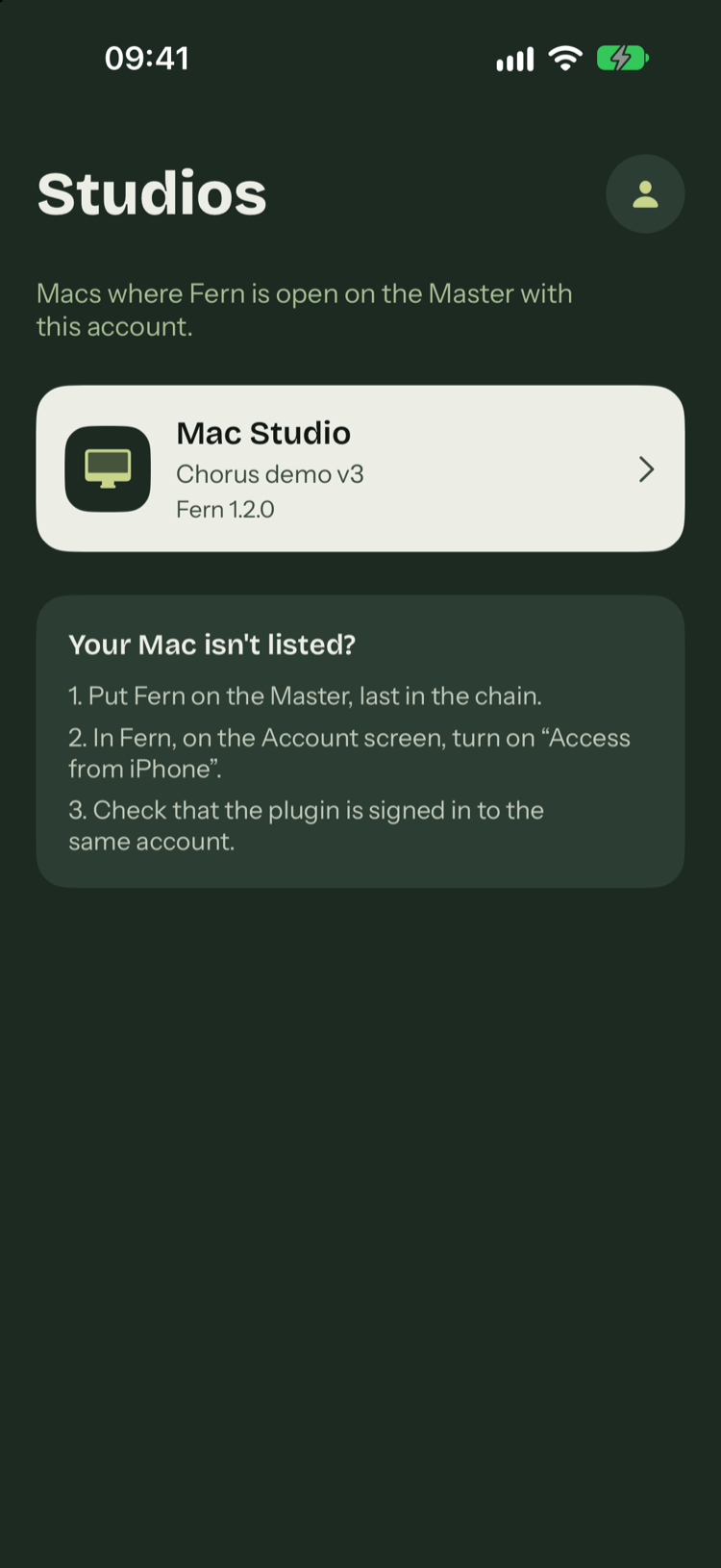
In FL Studio, put the Fern plugin on the Master, last in the chain, to hear the final sound.
In Fern, on the Account screen, turn on “Access from iPhone”. FL Studio stays open on the Mac while you listen.
In the app, sign in with the plugin’s Fern account: Apple, Google, Microsoft or email. Your Mac shows up in the studio list.
You need an iPhone on iOS 17 or later, FL Studio 2025 or 2026 open on a Mac, and the Fern plugin signed in to your account.
Beta
On iPhone, the app is distributed through TestFlight, Apple’s beta tool. The beta is invitation-only: with active access to Fern, request it in My account with the email address of your Apple Account. Each tester is added by hand. Without access to Fern, write to contact@zaapee.fr to join the beta. There is no Android app yet.
Requests to Fern from your phone use your account’s credits, as in the plugin.
Request beta accessYes, with the Fern app: the Master arrives live while FL plays. Nothing is exported, and a change is audible as soon as it is applied.
No. FL Studio Remote controls FL Studio like a MIDI controller, and the sound stays on the computer. The Fern app plays the Master on your phone.
Yes. The app listens to and controls FL Studio on your Mac: FL has to stay open, with Fern on the Master.
No. The Fern website only connects your Mac and your phone, signed in to the same account. Audio and chat then go directly from one to the other, end-to-end encrypted.
About 115 MB at standard quality (256 kbit/s), 58 MB in data saver (128 kbit/s) and 230 MB at maximum quality (510 kbit/s).